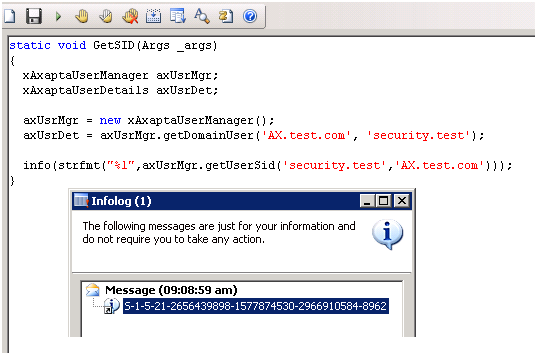
static void ImportPosition(Args _args)
{
SysExcelApplication application;
SysExcelWorkbooks workbooks;
SysExcelWorkbook workbook;
SysExcelWorksheets worksheets;
SysExcelWorksheet worksheet;
SysExcelCells cells;
COMVariantType type;
OMOperatingUnit OMOperatingUnit;
int row=1;
Name name;
FileName filename;
HcmPosition HcmPosition;
HcmPositionDetail HcmPositionDetail;
HcmPositionWorkerAssignment HcmPositionWorkerAssignment;
HcmPositionDuration HcmPositionDuration;
str job;
OMOperatingUnitNumber department;
;
application = SysExcelApplication::construct();
workbooks = application.workbooks();
filename = "C:\\import\\HRPosition.xlsx";
ttsBegin;
try
{
workbooks.open(filename);
}
catch (Exception::Error)
{
throw error("File cannot be opened.");
}
workbook = workbooks.item(1);
worksheets = workbook.worksheets();
worksheet = worksheets.itemFromNum(1);
cells = worksheet.cells();
do
{
row++;
HcmPosition.PositionId = cells.item(row, 1).value().bStr();
HcmPosition.insert();
department = cells.item(row, 2).value().bStr();
job = cells.item(row, 3).value().bStr();
select firstOnly OMOperatingUnit where OMOperatingUnit.OMOperatingUnitNumber == department;
if(OMOperatingUnit)
{
HcmPositionDetail.Department = OMOperatingUnit.RecId;
HcmPositionDetail.Job = HcmJob::findByJob(job).RecId;
HcmPositionDetail.Position = HcmPosition.RecId;
HcmPositionDetail.Title = HcmTitle::findByTitle(HcmJobDetail::findByJob(HcmPositionDetail.Job).Description).RecId;
HcmPositionDetail.Description = cells.item(row, 4).value().bStr();
HcmPositionDetail.ValidFrom = DateTimeUtil::newDateTime(cells.item(row, 5).value().date(),timeNow());
HcmPositionDetail.ValidTo = DateTimeUtil::maxValue();
HcmPositionDetail.insert();
HcmPositionWorkerAssignment.ValidFrom = DateTimeUtil::newDateTime(cells.item(row, 5).value().date(),timeNow());
HcmPositionWorkerAssignment.ValidTo = DateTimeUtil::maxValue();
HcmPositionWorkerAssignment.Position = HcmPosition.RecId;
HcmPositionWorkerAssignment.Worker = HcmWorker::findByPersonnelNumber(cells.item(row, 6).value().bStr()).RecId;
HcmPositionWorkerAssignment.insert();
HcmPositionDuration.Position = HcmPosition.RecId;
HcmPositionDuration.ValidFrom = HcmPositionWorkerAssignment.ValidFrom;
HcmPositionDuration.ValidTo = DateTimeUtil::maxValue();
HcmPositionDuration.insert();
type = cells.item(row+1, 1).value().variantType();
print row;
}
}
while (type != COMVariantType::VT_EMPTY);
application.quit();
ttsCommit;
}
{
SysExcelApplication application;
SysExcelWorkbooks workbooks;
SysExcelWorkbook workbook;
SysExcelWorksheets worksheets;
SysExcelWorksheet worksheet;
SysExcelCells cells;
COMVariantType type;
OMOperatingUnit OMOperatingUnit;
int row=1;
Name name;
FileName filename;
HcmPosition HcmPosition;
HcmPositionDetail HcmPositionDetail;
HcmPositionWorkerAssignment HcmPositionWorkerAssignment;
HcmPositionDuration HcmPositionDuration;
str job;
OMOperatingUnitNumber department;
;
application = SysExcelApplication::construct();
workbooks = application.workbooks();
filename = "C:\\import\\HRPosition.xlsx";
ttsBegin;
try
{
workbooks.open(filename);
}
catch (Exception::Error)
{
throw error("File cannot be opened.");
}
workbook = workbooks.item(1);
worksheets = workbook.worksheets();
worksheet = worksheets.itemFromNum(1);
cells = worksheet.cells();
do
{
row++;
HcmPosition.PositionId = cells.item(row, 1).value().bStr();
HcmPosition.insert();
department = cells.item(row, 2).value().bStr();
job = cells.item(row, 3).value().bStr();
select firstOnly OMOperatingUnit where OMOperatingUnit.OMOperatingUnitNumber == department;
if(OMOperatingUnit)
{
HcmPositionDetail.Department = OMOperatingUnit.RecId;
HcmPositionDetail.Job = HcmJob::findByJob(job).RecId;
HcmPositionDetail.Position = HcmPosition.RecId;
HcmPositionDetail.Title = HcmTitle::findByTitle(HcmJobDetail::findByJob(HcmPositionDetail.Job).Description).RecId;
HcmPositionDetail.Description = cells.item(row, 4).value().bStr();
HcmPositionDetail.ValidFrom = DateTimeUtil::newDateTime(cells.item(row, 5).value().date(),timeNow());
HcmPositionDetail.ValidTo = DateTimeUtil::maxValue();
HcmPositionDetail.insert();
HcmPositionWorkerAssignment.ValidFrom = DateTimeUtil::newDateTime(cells.item(row, 5).value().date(),timeNow());
HcmPositionWorkerAssignment.ValidTo = DateTimeUtil::maxValue();
HcmPositionWorkerAssignment.Position = HcmPosition.RecId;
HcmPositionWorkerAssignment.Worker = HcmWorker::findByPersonnelNumber(cells.item(row, 6).value().bStr()).RecId;
HcmPositionWorkerAssignment.insert();
HcmPositionDuration.Position = HcmPosition.RecId;
HcmPositionDuration.ValidFrom = HcmPositionWorkerAssignment.ValidFrom;
HcmPositionDuration.ValidTo = DateTimeUtil::maxValue();
HcmPositionDuration.insert();
type = cells.item(row+1, 1).value().variantType();
print row;
}
}
while (type != COMVariantType::VT_EMPTY);
application.quit();
ttsCommit;
}